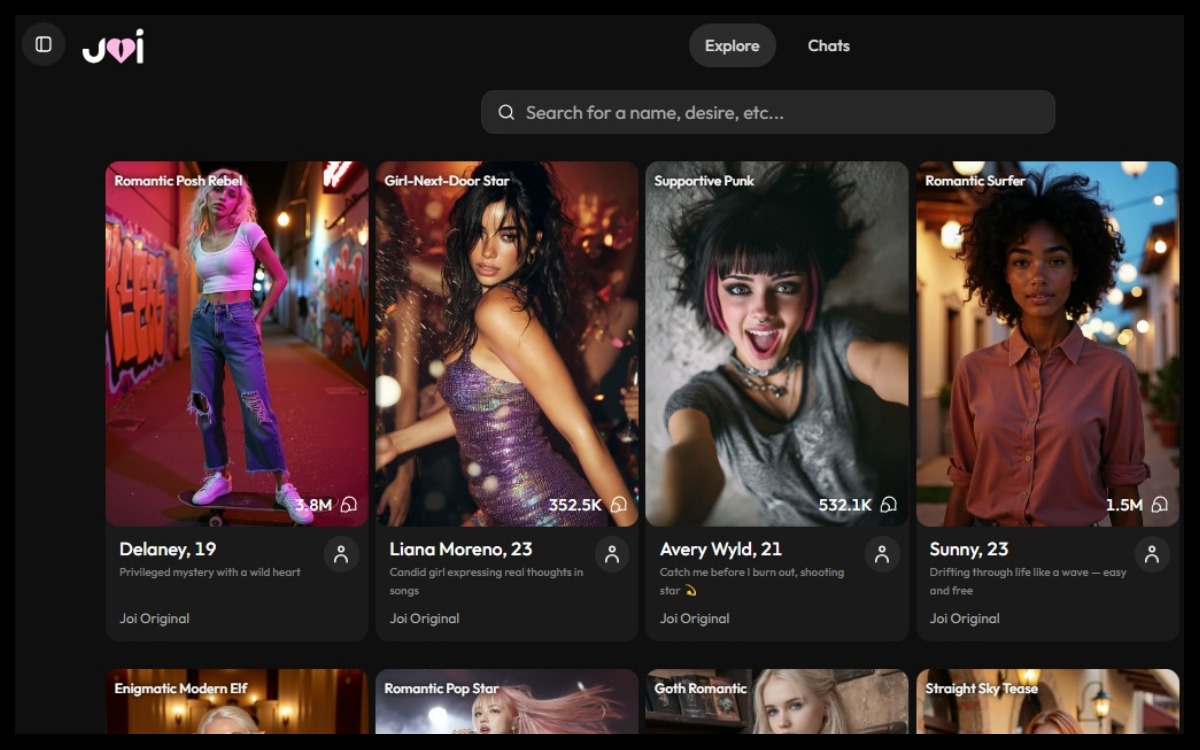
Joi.ai is a character-chat website built around AI companions. Instead of asking a general-purpose assistant for facts, you pick a persona (or create one) and talk to it like you’d text a person: casual banter, roleplay scenes, flirting, or low-key companionship. The site emphasizes quick entry—browse characters and start chatting—so it feels more like interactive entertainment than a utility tool.
The key idea: it’s a “vibe engine,” not a search engine
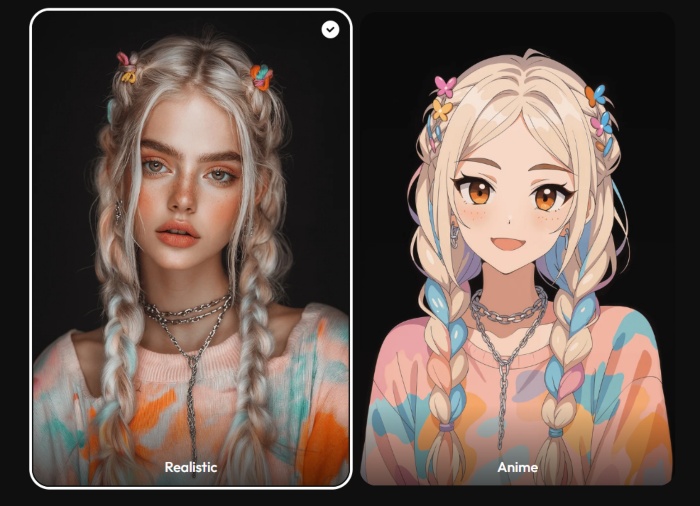
Joi.ai (Visit Website) shines when you treat it as improvised storytelling. You set the tone, the context, and the pace, and the character responds inside that frame. Joi.ai also promotes a creator flow that lets you generate characters with customizable traits and different visual styles (including realistic and anime), which reinforces the platform’s focus on personalization and immersion.
What you’ll see when you visit
You typically start in a gallery of characters with short hooks and strong visual cues for the intended vibe. Click a character and you land in a chat interface that opens with an inviting line to get the conversation moving. Some areas highlight that you can start quickly without a download; account features come later if you want continuity and customization.
Pricing, in plain English: subscription plus “Neurons”
Joi.ai isn’t always a simple “one price, unlimited everything.” Its Terms describe subscription tiers and an internal currency called “Neurons” for certain extras not included in the subscription—like new dialogue branches, themed avatars, voice responses, and other add-ons. The Terms also provide example costs (including per-message Neuron charges and higher costs for viewing media depending on theme). Treat it like a game economy: decide what you want to do, set a limit, and avoid impulse clicks once you’re emotionally invested in a storyline.
What features exist beyond text
The service is centered on chat, but the Terms describe communicating with a “Virtual friend” via text and voice, plus a video call feature where available (availability can vary by device, region, and plan). The same Terms also frame the service as software meant to improve mood and wellbeing while explicitly stating it is not healthcare or a professional mental health service—and they include an age requirement for account registration (18+). In other words: treat it as entertainment and companionship, not therapy, and not something you’d ever use for an emergency.
Privacy: what the policy says, and the habit you should keep
Joi.ai’s Privacy Policy says it will not sell your personal data. Even so, don’t overshare identifying details. Keep it personal without making it traceable: talk about feelings, preferences, and fictional scenarios, but skip addresses, workplace specifics, legal names, and sensitive documents.
How to get better chats: “direct” the character
The biggest difference between a bland chat and a surprisingly good one is whether you give the character a clear role. Vague openers (“hey”) often produce vague replies. Clear direction (“be playful, ask one question at a time, keep it short”) usually produces a more natural rhythm.
Here are two example starters you can adapt (illustrative, not taken from any private chat):
Example 1 — first-date rehearsal (great if you get nervous)
You: “Let’s roleplay a first coffee date. Keep it warm, not intense. Ask one question at a time. Reply in 2–4 sentences.”
Character: “Deal. You sit down. What’s your ‘I’m trying to be healthy but I’m not’ order—salad, pastry, or both?”
Why it works: you set pacing, length, and tone, so the chat stays light and conversational.
Example 2 — flirty but respectful (no cringe, no pressure)
You: “Be lightly flirty, but keep it PG-13. Focus on teasing and chemistry, not explicit talk.”
Character: “Noted. Then I’m starting with a challenge: tell me one opinion you’ll defend, even if it’s unpopular.”
Why it works: it creates playful tension while keeping boundaries clear.
A simple feature table: what to expect on Joi.ai
| Area | What it does | Where it shines | The usual mistake |
| Character gallery | Browse personas and themes | Fast discovery, lots of variety | Endless browsing without real conversation |
| Creator tools | Customize traits and style | Better “fit” to your preferences | Over-tuning and never actually chatting |
| Chat experience | Ongoing character conversation | Roleplay, comfort, playful banter | Being too vague, then blaming the bot |
| Paid layers | Subscription + Neurons for extras | Deeper branches and add-ons | Spending impulsively once you’re invested |
| Policies | Terms + privacy disclosures | Clearer expectations | Skipping them, then feeling surprised |
Practical tips that keep it fun (and not frustrating)
Start each session with a one-sentence setup: “Tonight you’re witty and warm, keep replies under four sentences, and ask follow-ups.” This alone cuts repetition.
Give the chat a job. Joi works best when you’re doing something: a slow-burn romance scene, a cozy bedtime talk, or practice for better texting. If you don’t define a job, the character often fills space with generic compliments and safe loops.
Set a monthly spending cap before you explore paid extras. Many negative reviews focus less on chat quality and more on cost surprises around Neurons and media access.
Who Joi.ai is best for
Joi.ai fits people who like character-driven chat and don’t mind steering the vibe. It’s also useful as practice: asking better questions, keeping banter light, and rehearsing a simple first-date invitation. It’s not ideal if you want perfect long-term memory, a single flat price, or a substitute for real relationships.
Used intentionally, it’s fun and soothing; used passively, it becomes repetitive and expensive quickly.
Joi.ai is a customizable AI companion hub: quick to start, heavy on character fantasy, and at its best when you give it direction. If you protect your privacy, set a spending cap, and treat it as an interactive experience (not a truth machine), it can be genuinely engaging—and sometimes surprisingly human-seeming in the moment.